Views: 42 Author: Site Editor Publish Time: 02-27-2026 Origin: Site


Maintaining consistency across multiple presses is the ultimate goal for many printing facilities in offset production. However, have you ever encountered this extremely frustrating situation: a shop has multiple offset presses (e.g., ManRoland 900s) with nearly identical configurations, age, and mechanical condition, using the exact same plates, blankets, target density inks, fountain solution (containing 10% IPA), and water temperature settings. Yet, when printing on coated stock, one of the presses exhibits abnormally low dot gain—while the normal machines register between 14-18%, this "problem press" only shows 6-10%, and this often occurs specifically on the Magenta (M) and Yellow (Y) units.
Perplexingly, when you transfer the same plates to other machines, the dot gain returns to normal immediately. Even stranger, if you print on uncoated stock, all machines perform consistently. This article synthesizes real-world troubleshooting experiences from frontline experts to provide you with a logically structured diagnostic guide and common misconceptions regarding "low dot gain."
When encountering isolated low dot gain on a specific press, the first instinct is often to check consumables. In the case mentioned above, the operators confirmed that all machines shared the same ink (supplied directly via a central inking system) and fountain solution. If measuring printed samples from the same plates on other machines shows normal density and dot gain, the issue can essentially be isolated to the mechanical condition or interactive settings of this particular press.
Why does the problem only manifest on coated stock? Uncoated stock absorbs ink more readily, whereas coated stock is non-absorbent, typically resulting in a sharper printed dot. If the press has minor deviations in its mechanical structure or dynamic pressure, the smooth surface of coated stock acts like a magnifying glass, fully exposing these subtle defects in dot transfer.
Many operators attempt to "force" dot gain by increasing the blanket packing (e.g., adding 0.1-0.2mm) or cranking the impression cylinder pressure to maximum. However, modern blanket technology is highly advanced; excessive packing usually fails to effectively increase dot gain and may instead trigger other printing issues. Experience shows that relying solely on increased physical squeeze cannot resolve this type of low gain problem.
Industry veterans point out that dot gain is not the "ultimate goal" of the printing press, but rather a process control metric. The true objective of the press is tone reproduction. When you attempt to correct "dot gain" using plate curves, and the root cause is actually slight excessive ink emulsification, you are essentially using dot size variation on the plate to mask a press-side ink-water balance fault—which is logically unsound.
Solid ink density is not a color target per se, but an indirect measurement of ink film thickness. Relying solely on a densitometer can be deceptive, as the instrument calculates ratios between color patches without understanding the actual dot shape. Experts strongly recommend using a high-power loupe or microscope to observe dot conditions.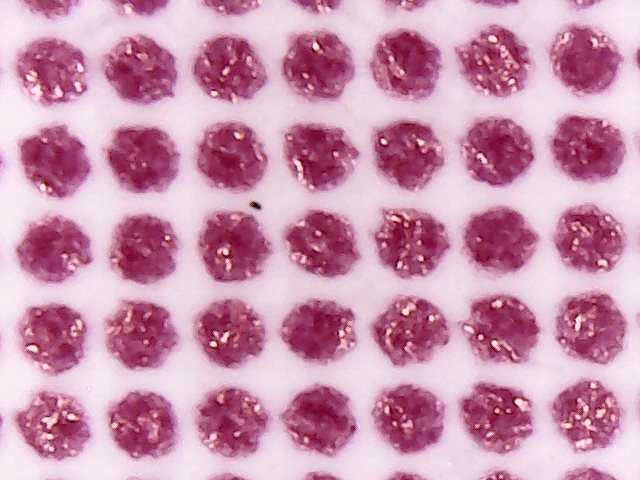
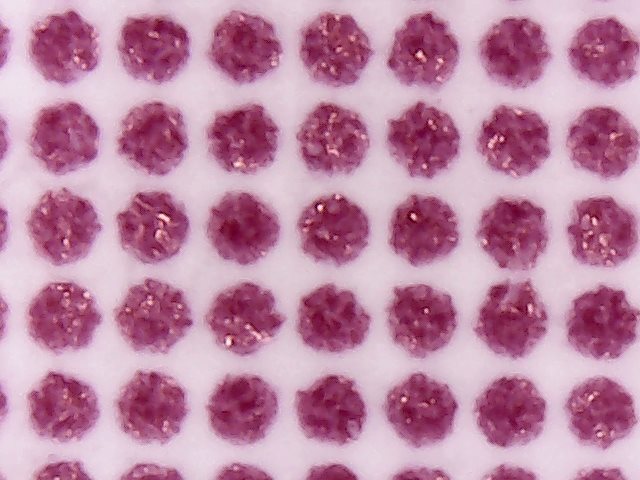
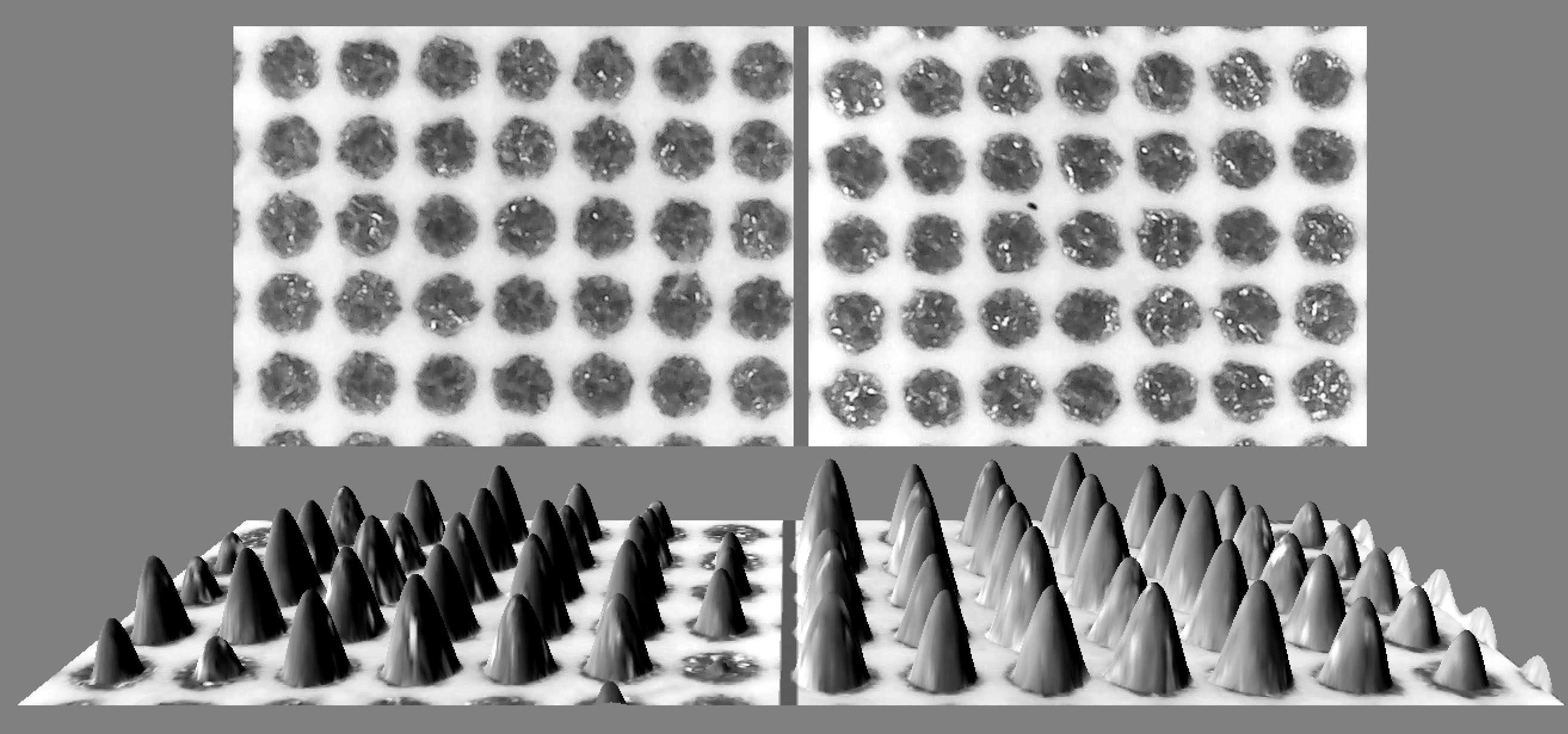
As illustrated above, when microscopically comparing a 50% dot area with 14% gain versus one with 8% gain, converting them into 3D density distribution maps clearly reveals startling differences in localized ink film thickness and distribution.
Use a laser infrared thermometer to test roller temperatures across the press after one hour of high-speed running. Faulty internal roller circulation or aging sensors can cause actual temperatures to deviate from computer setpoints.
Re-check the contact stripes of the dampening form rollers and inking form rollers during a shift run to ensure settings are absolutely consistent between machines.
Ensure all blankets are tightened by the same operator using the same torque wrench, following specifications, as even minor differences in tensioning force can lead to uneven dot transfer.
The Debate: Should You Create a Dedicated G7 Curve for the Problem Press?
Supporting View Implementing a dedicated G7 curve for the specific machine can bypass lengthy mechanical troubleshooting and quickly produce prints that meet standards.
— a Reddit user
Opposing View This undermines interchangeability between multiple presses in the shop. If four machines require eight different curve sets, management becomes extremely chaotic. Furthermore, using prepress curves to mask mechanical defects is detrimental to long-term quality control.
Sometimes, subtle slurring or doubling is difficult to see in the 40-50% midtones. It's advisable to include patches with tiny 3% dots in your control strip, as these can more intuitively reveal issues caused by dot squash and distortion.

For further in-depth study of dot reproduction and gray balance standards, please refer to the key technical documents discussed in the original forum threads:
Key Summary: Provides a detailed analysis of the technical causes and physical impacts of progressive dot sharpening and image detail loss during the printing process.
Key Summary: A guide to the specifications and usage control of the System Brunner test strip.
Key Summary: Standards for gray balance control on coated stock, covering applications in both sheetfed and web offset printing.