Understanding Trapping Concepts for Flexo and Offset Printing
Author: Site Editor Publish Time: 02-08-2026 Origin: Site
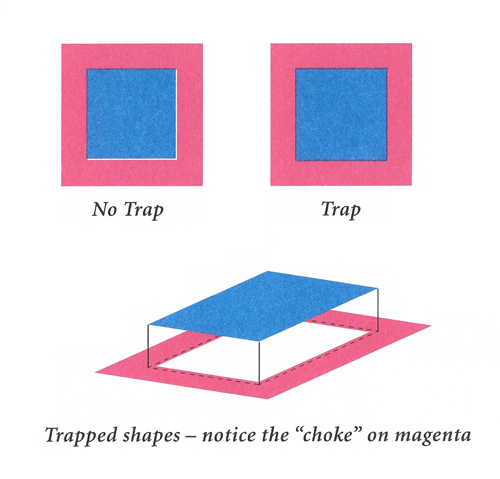
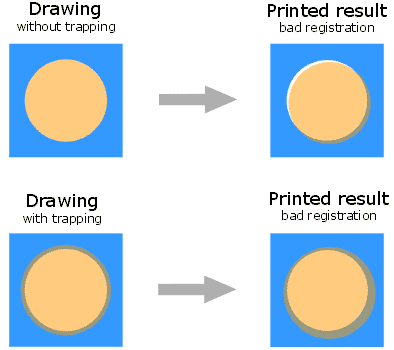
In the world of professional printing, "Trapping" is a critical prepress technique used to compensate for misregistration. This occurs when different color layers don't align perfectly during the printing process due to material instability or mechanical limitations. Think of it as a "hit-box" adjustment for your design, ensuring no white gaps appear between adjacent colors on the final "render."
While software like Adobe Illustrator or Esko ArtPro+ automates much of this, understanding the underlying logic is essential for high-stakes jobs.
The Core Variables of Trapping Strategy
Trapping isn't a "one-size-fits-all(chinese mean:一刀切)" setting. Your "gear" (materials) and "environment" (press conditions) dictate the values.
Material Stability and Dimensional Stats
Different media have different dimensional stability. For example:
Thin vs. Thick Materials: Thinner substrates generally require more trap compensation as they are more prone to stretching under tension.
Paper vs. Film: Paper is affected by moisture and mechanical pull, whereas film might stretch under heat, especially in Flexography Wiki.
Press Architecture: CI vs. Inline
The physical distance between ink transfer points significantly affects registration fit.
Wide Web Flexo: Often utilizes a Common Impression (CI) cylinder, where all colors are printed around a single large drum, leading to superior registration.
Narrow Web / Offset: Typically uses an in-line or tower-style deck where the material travels longer distances between units, increasing the risk of "misalignment bugs."
Advanced Ink Logic: Transparency and Opacity
In your "ink inventory,">Narrow Web / Offset: Typically uses an in-line or tower-style deck where the material travels longer distances between units, increasing the risk of "misalignment bugs."
Advanced Ink Logic: Transparency and Opacity
In your "ink inventory,&" transparency levels determine the direction of the trap.
Process Colors (CMYK): These are generally transparent. When trapping, digital algorithms usually move the lighter color (based on L* value) toward the darker color.
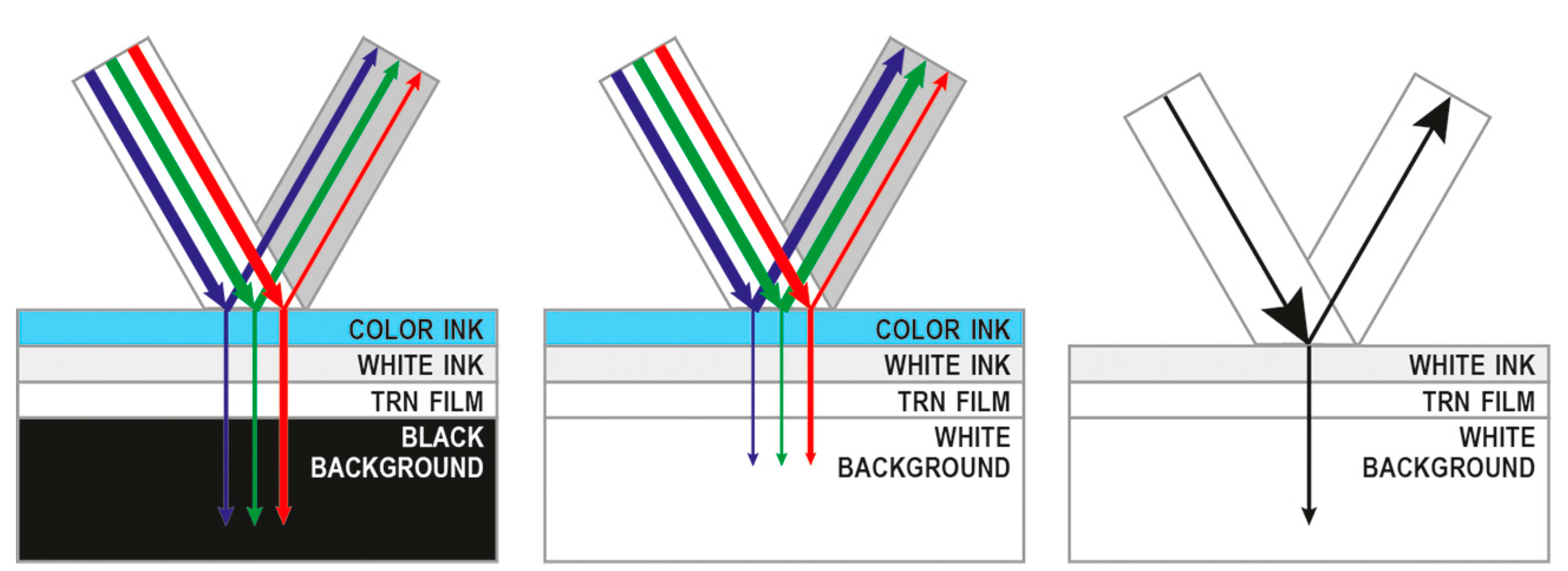
Spot and Metallic Inks: Unlike standard process inks, metallic inks (Gold, Silver, Bronze) are opaque. This changes the "battle mechanics" entirely.
The Metallic Ink "Special Boss"
Metallic inks present a unique challenge, especially in wet-on-wet printing environments.
Wet-on-Wet (Wet Trap): If you print black over a wet metallic ink, you must ensure the black is knocked out rather than overprinted.
Trap Direction: Most RIPs will see metallic as "lighter" than black and try to trap the metallic into the black by default. However, if the metallic is printed last, the dark color should be trapped toward the metallic.
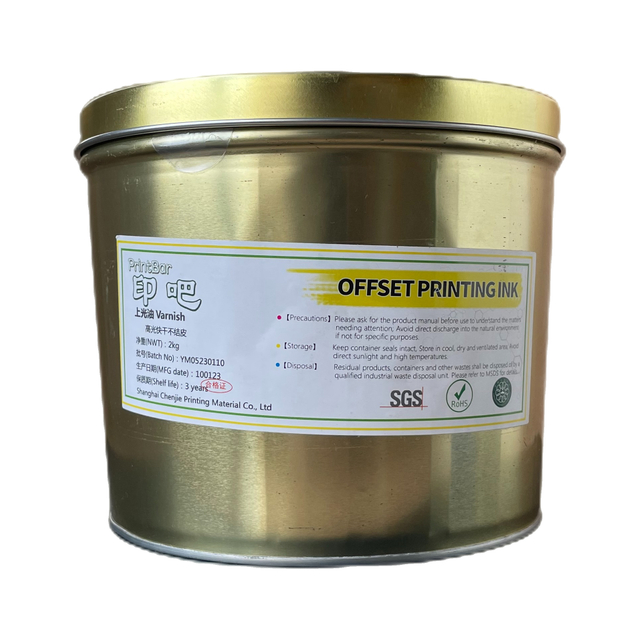
For such high-precision demands, using high-stability inks like the PrintBar 107-4 Series is vital for maintaining a clean trap edge.
Practical Scenarios: Wet Trap vs. Dry Trap
The "timing" of your ink application—whether it's Wet-on-Wet or Wet-on-Dry—changes how colors interact.
Sheetfed Litho (Offset): Predominantly uses wet trap (wet ink onto wet ink). This requires precise tack control. For eco-conscious high-end packaging, our KE Offset Ink Soy-based Seriesprovides the necessary stability for complex trapping.
Flexo Printing: Often utilizes dry trap (wet ink onto dry ink). This is common in label factories where inter-unit drying (UV or IR) is used. If you are running UV-curable systems, the PrintBar UV-918 Offset Inkis optimized for rapid curing and excellent adherence.
Spreads vs. Chokes: Old-School Wisdom in a Digital Era
Before the digital age, prepress pros used the "analog darkroom" methods of Spreads and Chokes:
Spreads (Outward): Expanding a light-colored object into a darker background.
Chokes (Inward): Shrinking a light-colored background into a darker object.
Modern software handles this automatically, but a prepress expert must still "inspect the loot" to ensure the RIP hasn't made an error in direction, especially when dealing with complex Spot/PMS colors.
Conclusion: Elevating Your Prepress Game
Mastering trapping is about moving from "automatic software settings" to "informed technical decisions." By understanding substrate behavior, ink opacity, and press mechanics, you can eliminate costly reprints and achieve "perfect registration."
For more technical insights or to explore our manufacturing facility, visit our PrintBar Virtual Tour or learn more about our commitment to quality on ourAbout Us page.
In order to fill in the printing field of environmental printing, research and development the all non-alcoholic fountain solution, it is a good solution to he traditional difficult to overcome the problem of energy saving, environmental protection, safety and soon.