Views: 233 Author: Site Editor Publish Time: 02-08-2026 Origin: Site


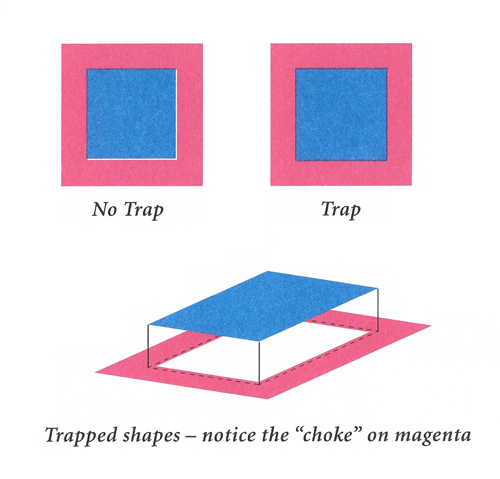
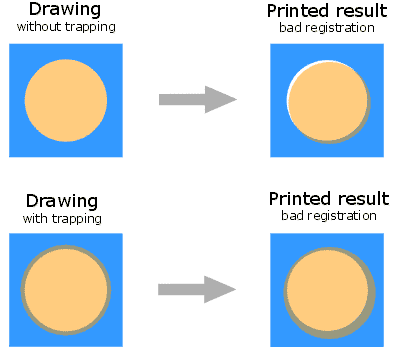
Misregistration happens. Paper stretches, plates shift, a cylinder bearing wears just enough. Suddenly there is a white gap where two colors should meet. Trapping is the prepress technique that closes that gap. You expand or contract color areas slightly so that even when the press drifts, the edges still overlap.
Software like Adobe Illustrator or Esko ArtPro+ handles most trapping automatically now. But the operator who does not understand why the software made that call is the same operator who ships plates with hairline gaps in them.
Trapping values are not one-size-fits-all. Two things determine what numbers you use: what you are printing on, and what press you are printing with.
Material stability comes first. Paper absorbs fountain solution, stretches under web tension, expands with heat. Film stretches differently but just as predictably. Thinner substrates almost always need more trap because they deform more under the same load. A trap value that holds on 300gsm board will leave visible gaps on 80gsm paper. This is especially true in flexography, where substrate handling is more dynamic by nature.
Press architecture is the second variable. The physical distance between ink transfer points determines how much the substrate can drift between colors.
Wide-web flexo presses often use a Common Impression (CI) cylinder. All colors print around a single large drum, so the substrate barely moves between stations and registration stays tight. Narrow-web flexo and sheetfed offset use inline or tower-style decks instead. The material travels further between each unit, and every extra millimeter of travel is a chance for registration to drift.
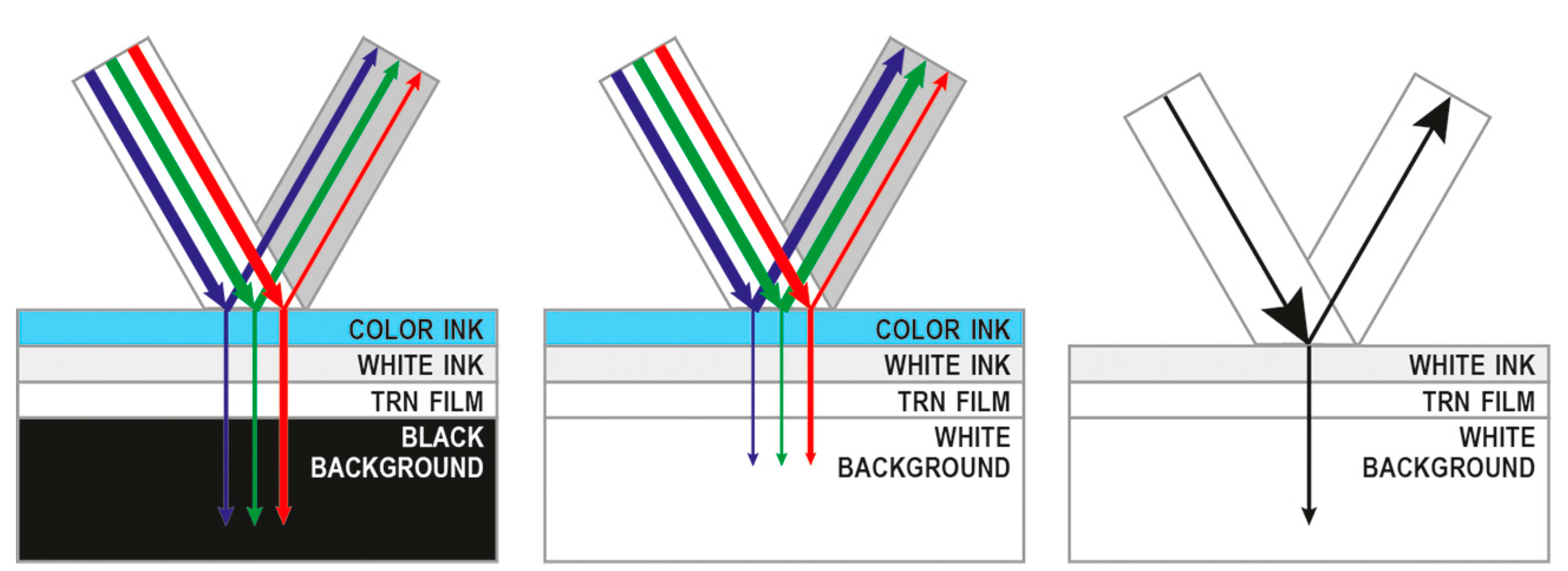
Ink transparency determines trap direction. Process colors (CMYK) are generally transparent. When two process colors meet, the standard rule is to spread the lighter color into the darker one. Software calculates this using L* values from the CIELAB color space.
Spot colors and metallic inks do not follow the same rules.
Metallic inks are opaque. Gold, silver, bronze. None of them let light through. On a wet-on-wet press, if you print black over wet metallic, you need to knock out the black rather than overprint it. Most RIP software sees metallic as lighter than black and defaults to trapping metallic into black. But if the metallic runs last on press, that direction is backwards. The dark color should move toward the metallic instead.
Whether ink lands on wet ink or dry ink changes how colors interact at the edges.
Sheetfed litho (offset) runs predominantly wet-on-wet. Wet ink sits on top of wet ink. Tack control matters. If the second ink down is tackier than the first, it pulls ink off the paper.
Flexo printing often runs wet-on-dry. A UV or IR dryer sits between units, curing each color before the next one lands. The surface the second ink hits is different from wet ink, and trap behavior changes with it.
See this prepressure article for a more detailed breakdown of wet and dry trapping.
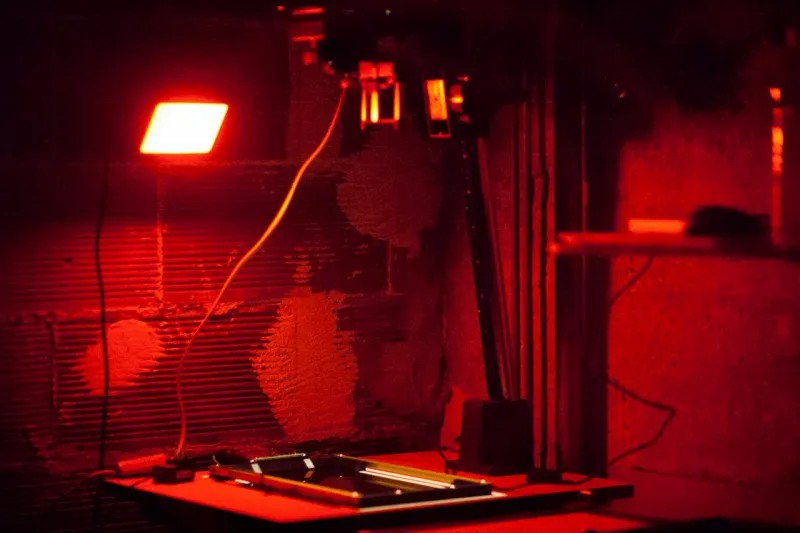
Before RIP software automated trapping, prepress operators did it by hand in the darkroom. The terminology survives: Spreads expand a light-colored object into a darker background. Chokes shrink a light-colored background into a darker object.
Modern software handles this automatically. But a prepress operator who does not know what a choke is will miss it when the RIP gets the direction wrong. This happens often enough with spot and PMS colors that you cannot just trust the defaults.
Trapping is not complicated. But automatic settings do not think. They follow rules someone else wrote, for someone else's press. Understanding why a trap goes one direction and not the other means fewer plates remade and fewer press stops. It is the difference between a job that looks fine on a screen and one that prints without white hairlines.
In the world of professional printing, "Trapping" is a critical prepress technique used to compensate for misregistration. This occurs when different color layers don't align perfectly during the printing process due to material instability or mechanical limitations. Think of it as a "hit-box" adjustment for your design, ensuring no white gaps appear between adjacent colors on the final "render."
While software like Adobe Illustrator or Esko ArtPro+ automates much of this, understanding the underlying logic is essential for high-stakes jobs.
Trapping isn't a "one-size-fits-all(chinese mean:一刀切)" setting. Your "gear" (materials) and "environment" (press conditions) dictate the values.
Different media have different dimensional stability. For example:
Thin vs. Thick Materials: Thinner substrates generally require more trap compensation as they are more prone to stretching under tension.
Paper vs. Film: Paper is affected by moisture and mechanical pull, whereas film might stretch under heat, especially in Flexography Wiki.
The physical distance between ink transfer points significantly affects registration fit.
Wide Web Flexo: Often utilizes a Common Impression (CI) cylinder , where all colors are final printed around a single large drum, leading to superior registration.
Narrow Web / Offset: Typically uses an in-line or tower-style deck where the material travels longer distances between units, increasing the risk of "misalignment bugs."
In your "ink inventory,">Narrow Web / Offset: Typically uses an in-line or tower-style deck where the material travels longer distances between units, increasing the risk of "misalignment bugs."
In your "ink inventory,&" transparency levels determine the direction of the trap.
Process Colors (CMYK): These are generally transparent. When trapping in printing, digital algorithms usually move the lighter color (based on L* value) toward the darker color.
Spot and Metallic Inks: Unlike standard process inks, metallic inks (Gold, Silver, Bronze) are opaque. This changes the "battle mechanics" entirely.
Metallic inks present a unique challenge, especially in wet-on-wet printing environments.
Wet-on-Wet (Wet Trap): If you print black over a wet metallic ink, you must ensure the black is knocked out rather than set to overprinted.
Trap Direction: Most RIPs will see metallic as "lighter" than black and try to trap the metallic into the black by default. However, if the metallic is printed last, the dark color should be trapped toward the metallic.
The "timing" of your ink application—whether it's Wet-on-Wet or Wet-on-Dry—changes how colors interact.
Sheetfed Litho (Offset): Predominantly uses wet trap (wet ink onto wet ink). This requires precise tack control.
Flexo Printing: Often utilizes dry trap (wet ink onto dry ink). This is common in label factories where inter-unit drying (UV or IR) is used.
A detailed explanation of wet traps and dry traps is given in this article.
Before the digital age, prepress pros used the "analog darkroom" methods of Spreads and Chokes:
Spreads (Outward): Expanding a light-colored object into a darker background.
Chokes (Inward): Shrinking a light-colored background into a darker object.
Modern software handles this automatically, but a prepress expert must still "inspect the loot" to ensure the RIP hasn't made an error in direction, especially when dealing with complex Spot/PMS colors.
Mastering trapping is about moving from "automatic software settings" to "informed technical decisions." By understanding substrate behavior, ink opacity, and press mechanics, you can eliminate costly reprints and achieve "perfect registration."